- Dive Club
- Posts
- 🤿 templates + recipes
🤿 templates + recipes
a novel approach to AI prototyping with your design system

Ridd
January 02, 2026

We talk a lot about using AI at startups…
But what are more established companies doing to scale AI prototyping?
What are the best ways to use AI to prototype with your design system?
That's what today's episode is all about because we're talking with Lewis Healey and Kylor Hall about how they scaled AI prototyping at Atlassian.
Some highlights 👇
Their vision for a truly AI-native design system
What's worked to scale AI prototyping adoption
Tips for reducing hallucinations when prototyping
Ways to help AI make sense of your design system
Their novel approach to prototyping with “templates”
How the role of design system designers is changing with AI
+ a lot more
🤝 WITH RAYCAST
So I got a new computer recently… and what do you think was the first app that I installed?
If you’ve been listening to this show for a bit, you probably guessed that the answer is Raycast.
At this point it’s an extension of my fingertips and the core way that I use my computer.
And I’m not alone… I see this sentiment from people I look up to on Twitter all the time so if you’re still on the fence, just do it.
Download Raycast and thank me later. Click the link to get started 👇

🔑 KEY TAKEAWAYS
Atlassian just totally changed how I think about prototyping with AI
I’ll admit… I usually gravitate toward smaller, more nimble teams (especially when it comes to AI workflows).
So I was a bit skeptical when Lewis pinged me about what they’re cooking up at Atlassian.
Then he walked me through what they’re doing and I haven’t stopped thinking about it since.
Here’s what I find so interesting:
How Atlassian uses “templates”
Lewis and Kylor built templates for Replit and Figma Make that anyone on the team can use as a starting point when prototyping.
But this screenshot below doesn’t actually map to any specific Atlassian experience.
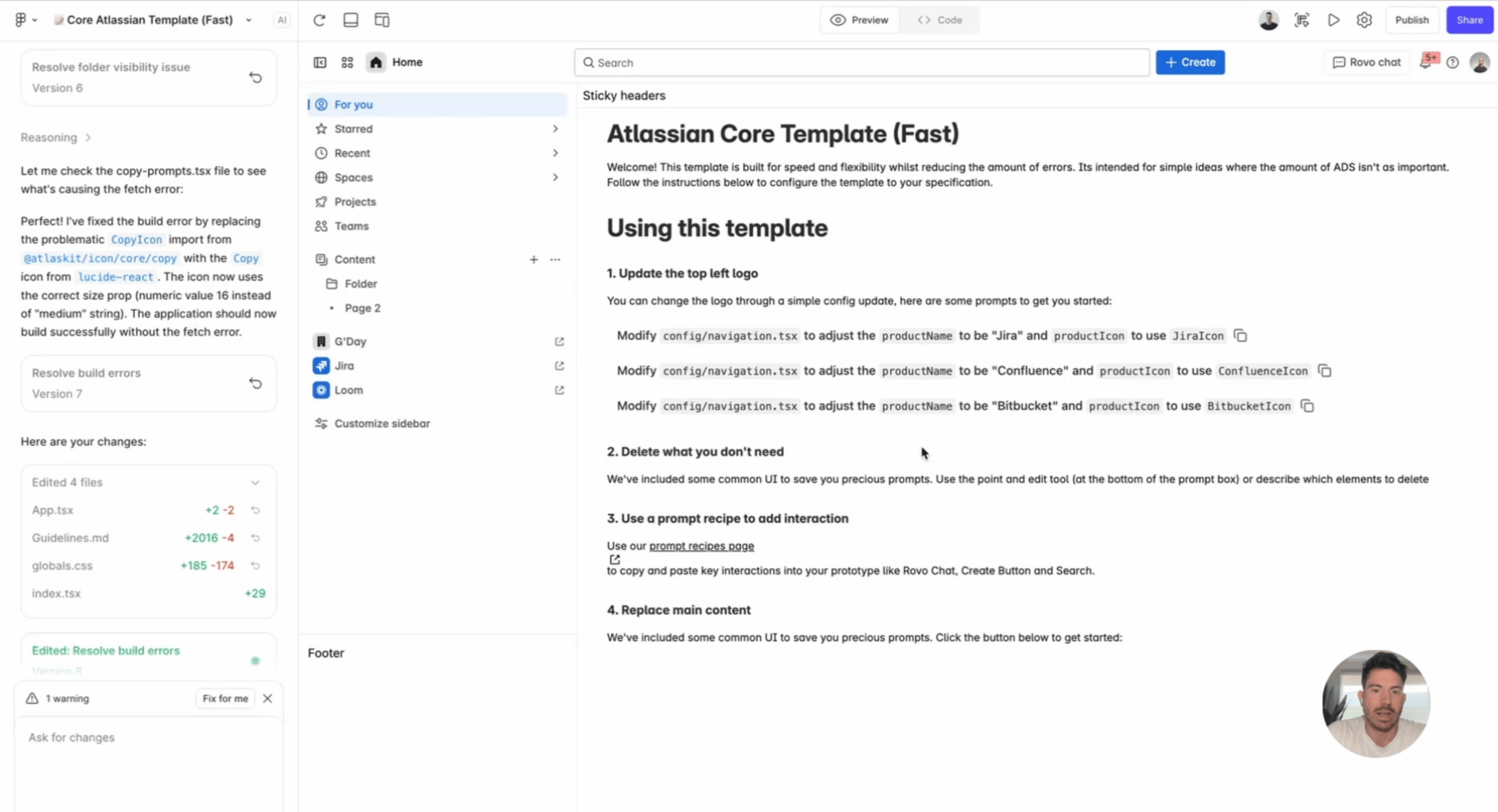
Instead it’s simply a launching point designed to help people get better results when prompting.
“it’s an abstracted template where it’s not actually a specific product, it’s just a bunch of elements that the ai would usually get quite wrong like top navs and sidebars”
What they’ve found is that when you upload a screenshot and ask a model to build something from scratch, it tends to hallucinate. Like, a lot.
But when you give the model a base of existing code and then ask it to modify that code to match the screenshot, the results improve dramatically.
Improving prompts with pre-built “recipes”
So how do you help people use these templates effectively?
This is where it starts to get a little meta in a fun way.
Lewis and Kylor created “recipes” which are pre-built, coded instructions that let anyone spin up specific experiences on demand.
Things like:
switching a UI to dark mode
dropping in an instance of Rovo (their AI chat experience)
Instead of asking people to write a prompt from scratch, the recipe does the heavy lifting and is written in a way the model understands.
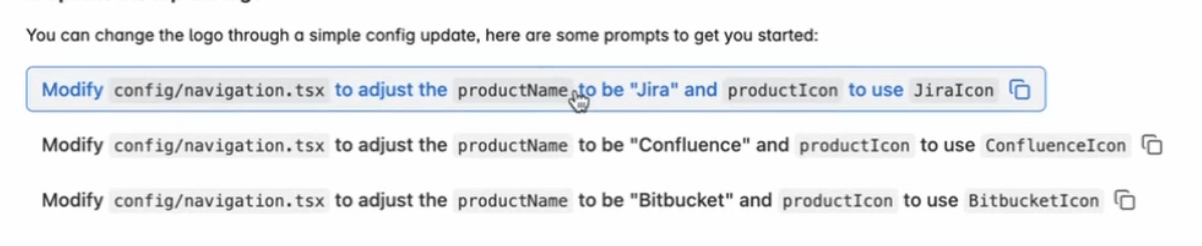
“we're trying to think of the user experience of a non-technical person using code… and we found that it hallucinated a lot less when we gave people a copyable command rather than saying ‘change logo to Jira’”
Baking in guideline files
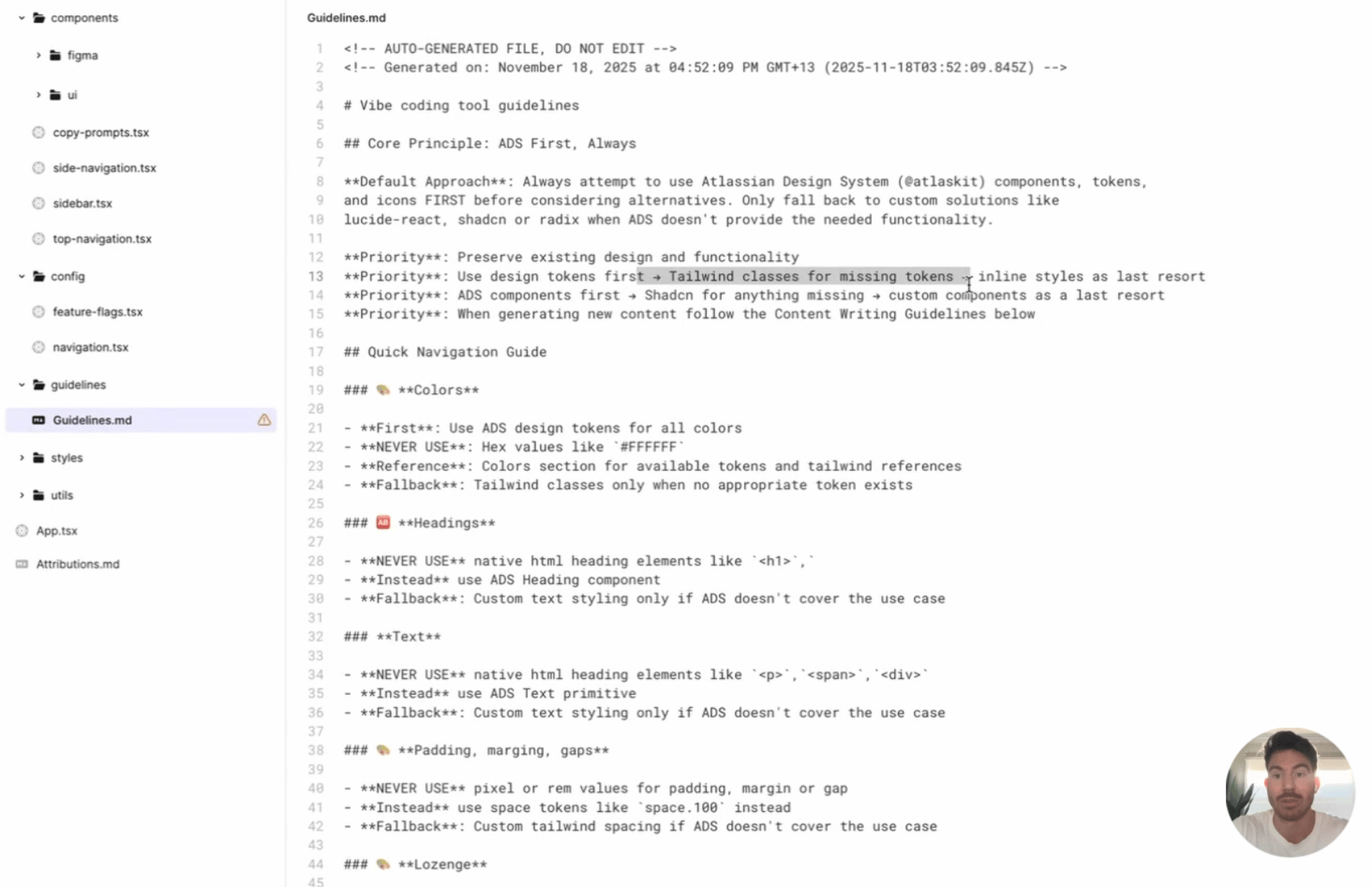
Each template comes with a robust guideline.md file.
It’s job is simple: teach the model how to wield the Atlassian design system.
One of the biggest unlocks here is creating specific instructions for translating from Tailwind.
“we try and instruct it to think in tailwind still because that’s what the models are trained on… so every one of our components have a ‘translating from Tailwind’ section where we say ‘if you see these class names, it should actually be this React code’.”
This brings up a separate point that I found interesting…
When I asked how they’re thinking about what comes next, they pointed to the network effects around today’s dominant frameworks and libraries.
“AI primarily knows Shadcn, Radix, and whatever it is trained on… so how can we make our components more closely aligned with that?”
Web technology is entering the most extreme homogenization we’ve ever seen.
Why this all matters
Lewis and Kylor are firm believers that product teams are entering into a more fluid model where anyone with any tool can ship directly to a customer.
“how do I enable product managers, product designers, content designers to generate Atlassian experiences with the design system?”
Funny enough, Lewis was pretty skeptical of AI in the beginning because he viewed it as a threat to design system adoption.
Now, he sees it almost the opposite way.
Design systems are the thing that makes AI usable at scale.
In his words, the design system becomes the “core of an AI-native, high-velocity organization”.
So if you’re into design systems, modern prototyping workflows, or just want a glimpse at how large teams are adapting to this moment, then I think you’re going to like this episode 👇
🤝 WITH GENWAY
Alright here’s the thing… you don’t need another dashboard. You need to talk to customers 👀
So I want to introduce you to Genway AI
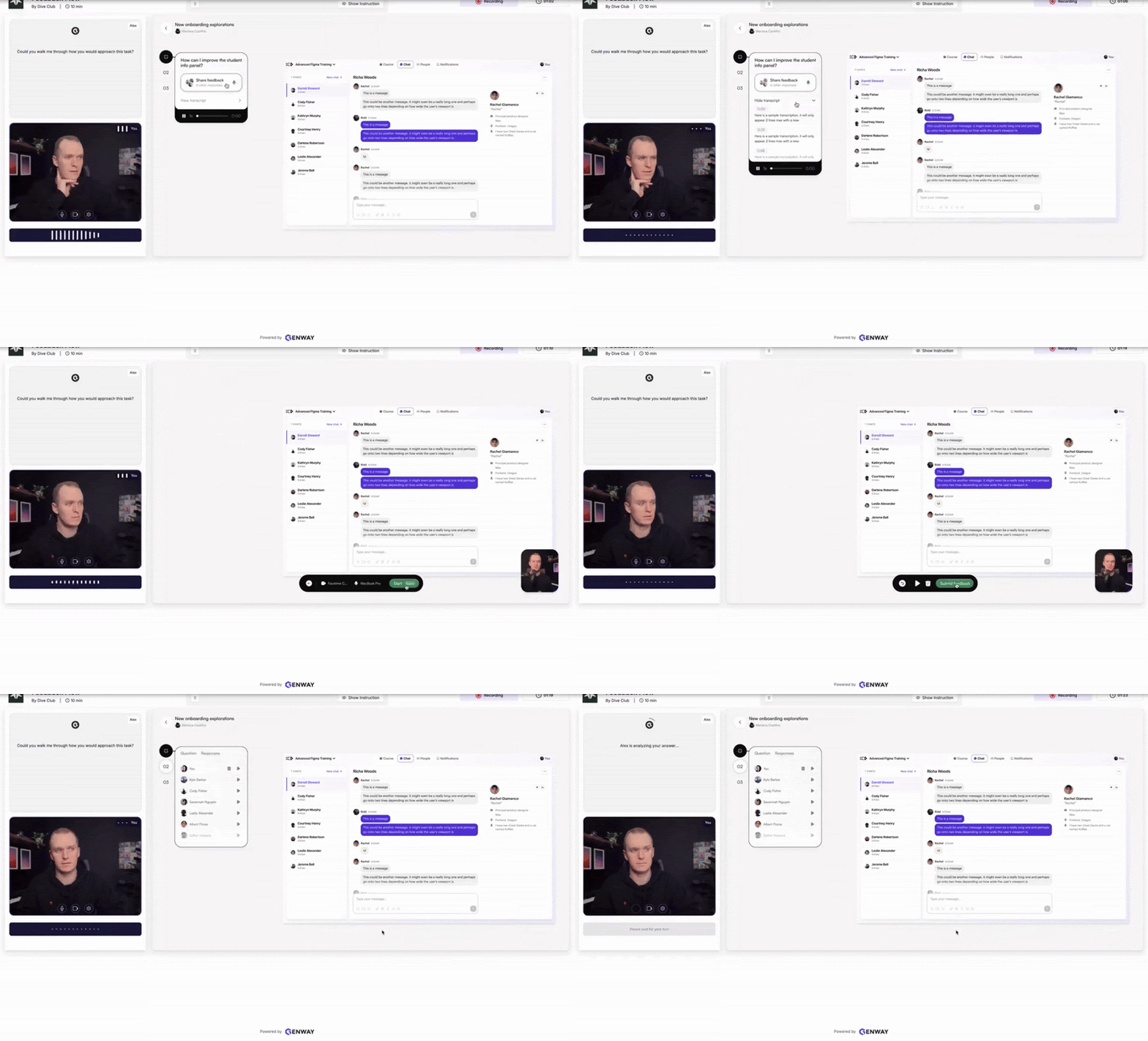
You can think of it like vibe researching to validate your ideas quickly
Just draft your questions, select an ICP, and their AI agent runs interviews on your behalf by pulling from a panel of global participants.
Set it up in the morning and get actionable insights by lunch time. It’s validation at your fingertips.
And you can try it out free for 14 days just click the link to get started 👇

How much did you enjoy this issue?Never hesitate to reply with feedback too :) |
Meet the Dive partners
I made a list of my favorite products and asked them to come on as sponsors of the newsletter/podcast. They said yes 🥹
The #1 way to support Dive Club is to check them out👇
Framer → How I build my websites
Genway → How I do research
Granola → How I take notes during CRIT
Jitter → How I animate my designs
Lovable → How I build my ideas in code
Mobbin → How I find design inspiration
Paper → How I design like a creative
Raycast → How I stay in flow while I work
Thanks for reading! I'm working hard to bring you the best design resources on the planet 🫶
If you want to go even deeper you can always:
 |
|
P.S. if you were forwarded this email you can subscribe here
